
Merraki | Interiors & Architecture HTML Template
 @DexterStark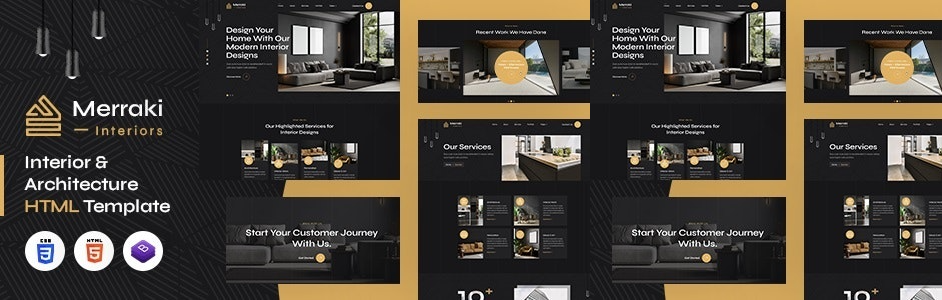
Live Demo
A) Introduction – top
Merraki Interiors & Architecture HTML5 website template is a custom design package that is a visually stunning and professionally designed tool for interior designers to showcase their work and help clients envision their dream spaces. The template is built on a modern and minimalist aesthetic, with clean lines and spacious layouts that put the focus on the images of the designer’s work. The template includes multiple sections to showcase different areas of the expertise, including living rooms, kitchens, bedrooms, and more. With its sleek and modern design, high-quality images, and easy-to-use contact form, the template is sure to impress and inspire clients looking to create beautiful, functional, and personalized living spaces. It has a modern, clean, creative & unique design based on the latest technology.
It contains Home Page layout and about page layout and 05+ valid HTML5 page templates designs and Blog detail models. Merraki template features are coded with Bootstrap v4.0, HTML5 & CSS3 and unlimited color schemes. It’s compatible with all modern browsers and search engine friendly. So showcase your artworks and services with this awesome template!
 How to Edit HTML Files? – top
We have included 07+ custom HTML templates like Home Page styles, about styles and Porfolio page style and different Blog pages Styles etc. Please open any HTML files with a text editor like Dreamweaver, Notepad or Notepad++ and edit any lines what you want.
C) How to Edit CSS Files? – top
We have included some custom CSS styles like style.css (default). Please open any CSS files with a text editor like Dreamweaver, Notepad or Notepad++ and edit any lines what you want. For example if you want to edit your banner images open style.css and look at “.banner-backgroundimage.jpg” for banner image and change your styles.
D) How to use Color Schemes? – top
Please open style.css file from Merraki/assets/css folder with a text editor and build your own colors. #ffffff this is our primary color, you can search and replace all to your new color code.
E) How to use On Load Animation? – top
We are wow.js on load animation for our website. you can edit them by simply adding or changeing the predefined classes name.
jQuery Files
Photos
Icons:
font:
G) Resources Used – top
Global
Colors:
- Primary: #ffffff
- Secondary: #e1b261
- Text: #a7a7a7
Font Sizes:
h1 >> 76px
h2 >> 46px
h5 >> 24px
h4 >> 24px
h5 >> 20px
h6 >> 18px
P >> 18px
Image Links:
-
Hello, We need to check your env file of the project! and let me know how did you created subdomain? is the root directory of your subdomain/public or just your subdomain? or Can you give us your server credentials? Please, get back to us to this email – info@ajsmartsolutions.space
-
 I have issues in adding product stocks and purchases. On purchases, I fill every input field and when I click on the save button It returns the required product quantity field error. When I look at your demo link there is the option for searching products but on my end, I can not see any option for searching products in adding purchases. On adding product stock, I can see only the select supplier option. I can not see the product quantity and price option.
-
-
This is an incredible template!!!!!!!Been looking for warehouse system where I came across this one. It did not fulfill all my wishes, but by quickly contacting the support, they were able to customize the system to my company. It's a five-star support and fast service! all my wishes and blessing for the great work!User-5486252 weeks ago